How to make font bigger in "Single choice set"?
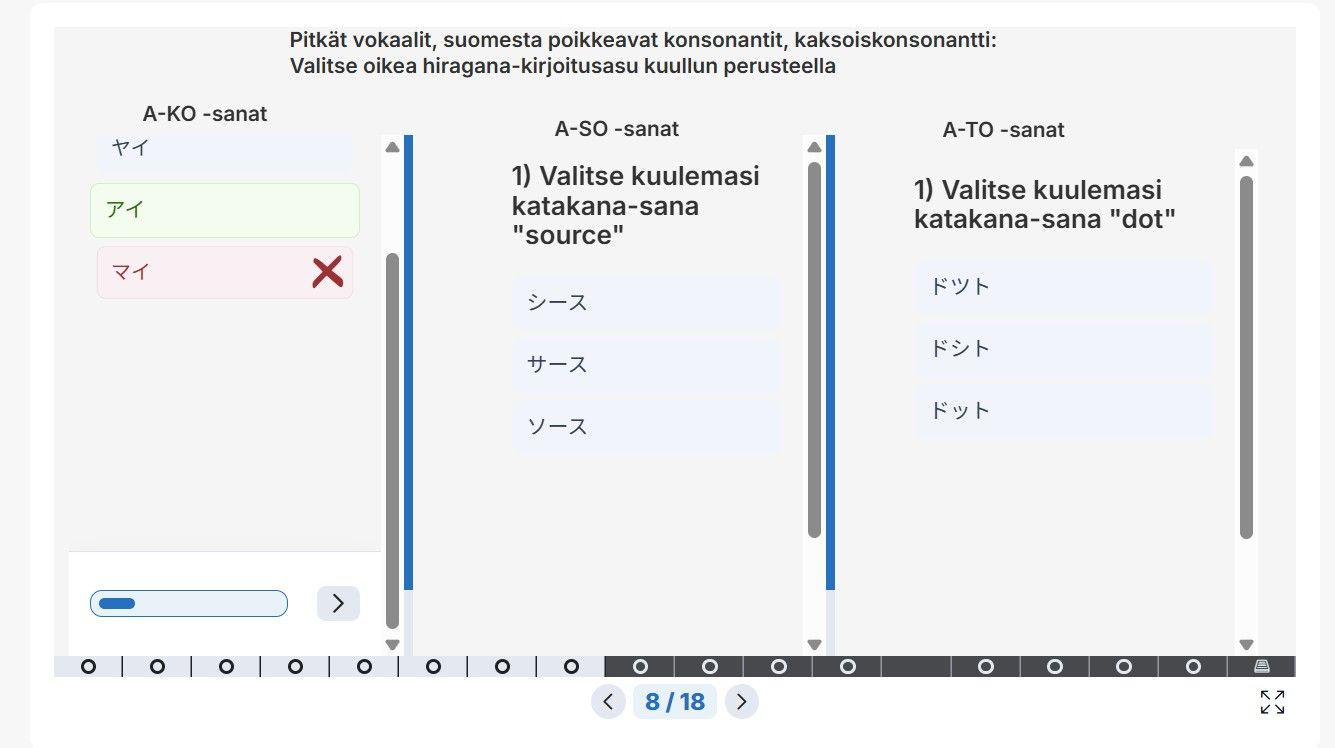
The update has made the font minimal in my “Course presentation” in the task “Single choice set”. The students can´t read this small font.
Also, why cant the “next button” be seen without scrolling down even when making the task box longer? There is no point to scroll for there is plenty of empty space
Also the color changes are bad. Before the everything was easy to watch and see with the clear grey and darker blue.
This is just one problem that the update has made….
I am using Crome and to edit I use Lumi cloud
Log in to comment and vote
Comments1
susselson
Sep 10
This old coloring version was good: easy watch and read