Web App Login Issue: Showing "Successfully signed in!" but stuck on login page
When attempting to log in to the Lumi Cloud web app (app.lumi.education), the login authentication succeeds, but the application fails to redirect to the user dashboard or editor interface.
Enter valid account credentials (or use standard sign-in options) and click Sign in.
A green notification toast appears saying "Successfully signed in!".
The page remains stuck on the login form without redirecting to
/dashboardor/projects.Clearing browser cache, clearing local storage, switching browsers, switching devices including laptop and mobile and manually navigating to
/dashboardafter receiving the "signed in" status (still redirects back or fails to load the session).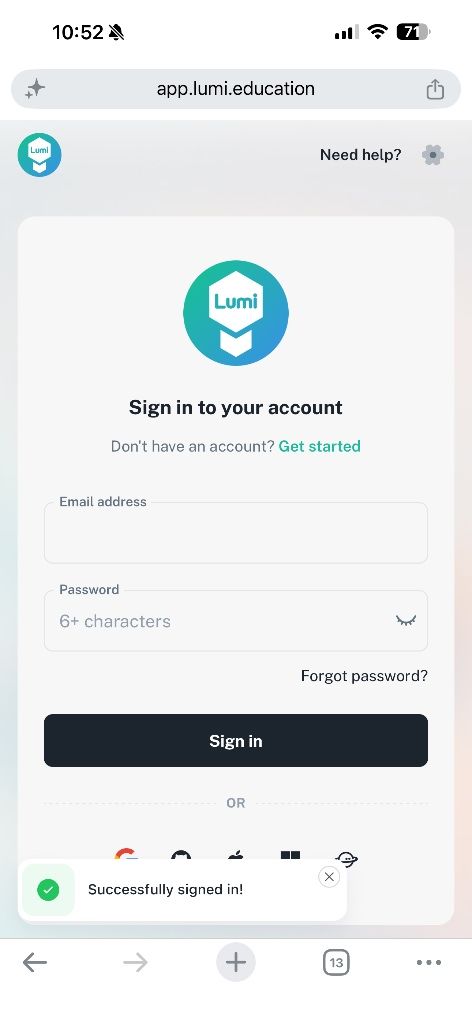
Log in to comment and vote
No comments yet
Be the first to share your thoughts.